
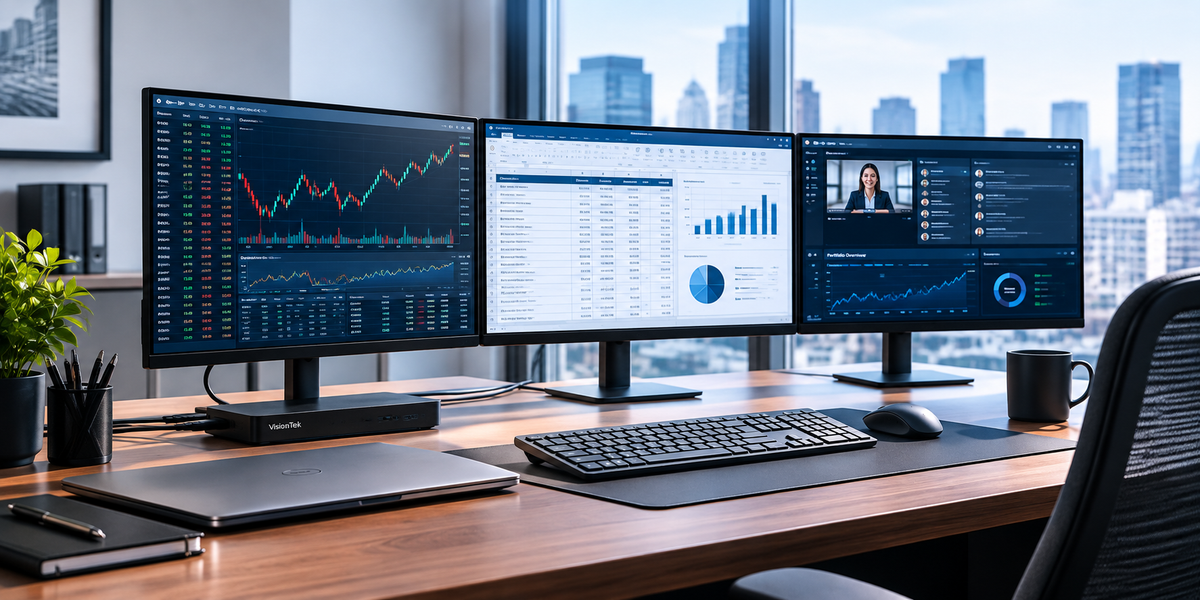
Financial professionals rarely work with just one application at a time.
An advisor may have a CRM, portfolio management platform, financial planning software, email, and a video meeting open simultaneously. An analyst may be comparing a financial model against research, market data, and client information. A trading professional may need multiple dashboards, news feeds, charts, and execution tools visible at once.
The problem is not a lack of information.
It is having to constantly switch between it.
For financial organizations, the workstation sitting in front of each employee can have a surprisingly large impact on how efficiently they work. When displays, laptops, and peripherals are not connected effectively, employees spend time rearranging windows, reconnecting cables, troubleshooting displays, and asking IT for help.
The solution is not necessarily a new computer.
It may be a better-connected workstation.
Give Financial Professionals More Information at a Glance
Multi-monitor workstations are particularly useful in financial environments because professionals often need to compare information rather than view it sequentially.
Consider a few everyday workflows:
-
Financial analysts: Keep a spreadsheet or financial model on one display while referencing financial statements, research, or market data on another.
-
Wealth advisors: Keep a client profile or CRM visible while using another screen for portfolio information, planning tools, or a video meeting.
-
Portfolio managers: Monitor market data, portfolio dashboards, and communications without continually minimizing one application to open another.
-
Trading professionals: Use additional screen space to monitor charts, news, order-entry tools, and multiple markets simultaneously.
The goal is not simply to add monitors.
It is to put the information employees need where they can see it when they need it.
The Hidden Problem: Connecting Everything
Adding monitors sounds simple until IT has to support the setup.
Different employees may have different laptop models. Some may use USB-C while others rely on USB-A or Thunderbolt. Monitors may use HDMI or DisplayPort. Hybrid employees may have one setup at headquarters and another at home.
Suddenly, a workstation that should require one connection involves a collection of adapters, cables, chargers, and troubleshooting.
For IT teams, standardizing the connection between the laptop and the workstation can simplify that entire experience.
A docking station can consolidate displays, networking, USB peripherals, and power into a single workstation connection, reducing the number of individual connections an employee has to manage.
Three Workstation Setups for Financial Teams
There is not one workstation configuration that fits every financial professional. Some employees benefit from a streamlined dual-monitor setup, while data-intensive roles may need four displays or the ability to move between two computers.
The right setup depends on how much information each role needs to manage and how employees interact with their applications throughout the day.
1. The Analyst or Advisor: Dual-Display Productivity
For employees who regularly compare information across several applications, a dual-display workstation can provide substantial additional workspace without creating an overly complex desk setup.
The VisionTek VT4600DL Universal Dual 4K Docking Station supports dual 4K displays and provides up to 100W of laptop charging. With support for both USB-A and USB-C systems, it can also help organizations accommodate a wider range of business laptops from a consistent docking platform.
The VT4600DL uses DisplayLink technology and adds USB connectivity, Ethernet, and audio, helping consolidate the devices employees use throughout the workday into a single workstation connection.
That makes it a strong fit for workflows such as:
Financial model + research or market data
CRM + portfolio management
Spreadsheet + reporting dashboard
Client presentation + supporting information
Employees can keep their most important applications visible across two external displays while using their laptop screen as an additional workspace when needed.
The result: more information in view and less time spent switching between windows or managing connections.
2. The Power User: Four 4K Displays
Some financial professionals simply need more information visible at the same time.
For those users, the VisionTek VT8100DL Universal Quad 4K Docking Station supports up to four 4K displays through two DisplayPort and two HDMI outputs.
It also provides 2.5Gb Ethernet, USB connectivity, and up to 100W of laptop power delivery. The dock supports Windows, macOS, and ChromeOS through USB-C or USB-A connections.
That makes it particularly well suited to high-information workflows where users need multiple dashboards, data sources, or applications visible simultaneously.
It can also help IT standardize workstation connectivity across a mixed-device environment rather than building a different solution around every laptop model.
3. The Hybrid Professional: Two Computers, One Workstation
Hybrid work introduces another challenge: some employees need to move between two computers without maintaining two complete desk setups.
The VisionTek VT4950 USB-C KVM Docking Station is designed for this type of environment.
It allows two laptops to share displays and peripherals and supports up to three 4K displays, while providing up to 100W Power Delivery to each connected system.
For a financial professional who regularly moves between systems, that means the monitors, keyboard, mouse, and other peripherals can remain connected to the workstation instead of being unplugged and reconnected every time the user changes computers.
One desk. One workstation. Two systems.
What About Employees Who Do Not Need a Full Dock?
Not every employee needs three or four monitors.
For mobile employees, branch offices, conference rooms, or simpler home-office setups, a smaller connectivity solution may make more sense.
The VisionTek USB-C MST Display Adapter with Power Passthrough can connect up to three external displays on compatible systems and supports up to 100W Power Delivery passthrough.
For employees who simply need two HDMI displays, the VisionTek USB-C to Dual HDMI Adapter provides dual-display connectivity in a compact, travel-friendly format.
This gives IT teams another important option:
Standardize the experience without forcing every employee into the same hardware configuration.
Build the Workstation Around the Workflow
The best workstation is not necessarily the one with the most monitors or the most ports.
It is the one that removes the friction between the employee and the information they need.
Before standardizing your next financial workstation deployment, consider:
-
How many applications does each role use simultaneously?
-
Would another display eliminate constant window switching?
-
Which employees need two, three, or four displays?
-
Are employees using different docks and adapters for the same basic workflow?
-
Can employees connect their laptop with one cable instead of several?
-
Do hybrid employees need to move between two computers?
-
Can IT standardize workstation configurations without replacing every laptop?
The answers will probably differ between an advisor, analyst, trader, and operations employee.
That is why workstation standardization should not mean giving everyone exactly the same desk.
It should mean giving every role the right configuration from a consistent technology platform.
Financial Workstation Configuration by Role
| Role | Typical Need | Suggested Setup |
|---|---|---|
| Advisor | CRM, planning tools, portfolio data, meetings | Dual-display docking station |
| Financial Analyst | Models, research, market data, reporting | Dual- or quad-display docking station |
| Portfolio Manager | Dashboards, market data, communications | Dual- or quad-display docking station |
| Trading Professional | Charts, news, execution tools, multiple markets | Quad-display workstation |
| Hybrid Professional | Two computers sharing the same desk setup | KVM docking station |
| Mobile / Branch Employee | Portable dual- or multi-display connectivity | USB-C display adapter |
Turn Every Desk Into a More Productive Workstation
Financial firms invest heavily in the people, applications, and infrastructure that keep their organizations moving.
The workstation deserves the same consideration.
With the right combination of docking stations, displays, adapters, and connectivity, financial professionals can spend less time managing technology and more time working with the information that drives their business.
VisionTek offers workstation solutions ranging from portable adapters to dual- and quad-display docking stations, giving IT teams the flexibility to build standardized configurations around different financial workflows.
The objective is not simply a cleaner desk.
It is a workstation that gets out of the way.
Explore VisionTek solutions for financial and enterprise environments to build workstation configurations for analysts, advisors, executives, traders, and hybrid teams.
Share:
USB-C Isn’t What It Seems: USB4 & Thunderbolt Guide