
You’ve just unpacked your new laptop. Then you discover there’s nowhere to plug in the wireless receiver for your favorite mouse.
Your desktop’s Ethernet port has stopped working. The computer itself is fine, but you’d rather not replace a motherboard just to get back online.
You plug your docking cable into the side of your laptop, and it sticks straight into the space where you move your mouse. Apparently, your desk now requires traffic management.
None of these problems calls for a whole new setup. Sometimes, you just need the right adapter.
Here are three VisionTek staff favorites that earn their keep by making everyday connections a little easier.
901223: Keep the Keyboard. Change the Connection.
USB-C to USB-A Adapter Plug
You buy a slim new laptop, unpack it, and reach for your trusty USB mouse.
Wrong-shaped hole.
Plenty of useful accessories still use USB-A: keyboards, mice, flash drives, and external storage. Moving to a laptop with USB-C ports doesn’t mean those accessories have suddenly stopped being useful.
The VisionTek USB-C to USB-A Adapter Plug bridges that connection. Its USB-C male connector plugs into your host device, while the USB-A female connection accepts your existing accessory.
That means the keyboard you like can remain the keyboard you use. No replacement shopping required. No awkward farewell speech.
Why it made our list: It solves a common connection mismatch with a small adapter you can keep in your laptop bag.
Before connecting: Your host device still needs to support the accessory. An adapter changes the physical connection; it doesn’t remove the device’s software or compatibility requirements.
Find the USB-C to USB-A Adapter Plug, part 901223
901436: When Your Ethernet Port Hands In Its Resignation
USB 3.0 to 2.5G Ethernet Adapter
One staff member picked this adapter for a very practical reason: the Ethernet port on their home computer’s motherboard stopped working.
The rest of the computer was fine. Sending it away for repair meant downtime. Replacing the motherboard meant expense and a project nobody had volunteered for.
Instead, they connected the VisionTek USB 3.0 to 2.5G Ethernet Adapter to an available USB-A port and restored their wired connection.
Small adapter. Considerably smaller headache.
It’s also useful for computers that never had an Ethernet port, or compatible setups ready to move beyond a gigabit connection.
The useful specs:
- Up to 2.5Gbps Ethernet, with support for 10/100/1000Mbps networks.
- USB-A 3.0 connection to the computer and an RJ45 socket for Ethernet.
- No separate power supply needed.
- Plug-and-play operation on most modern operating systems; some systems require drivers.
- One-year limited warranty.
To take advantage of 2.5Gbps, use USB 3.0, Cat 5e or better cabling, and compatible network equipment. Your actual speed also depends on the network and internet service. This adapter cannot negotiate a better broadband contract.
Why it made our list: It provides an alternative wired connection when your built-in Ethernet port fails or your computer doesn’t have one.
Explore the VisionTek USB 3.0 to 2.5G Ethernet Adapter
901430: Your Cable Could Use a Change of Direction
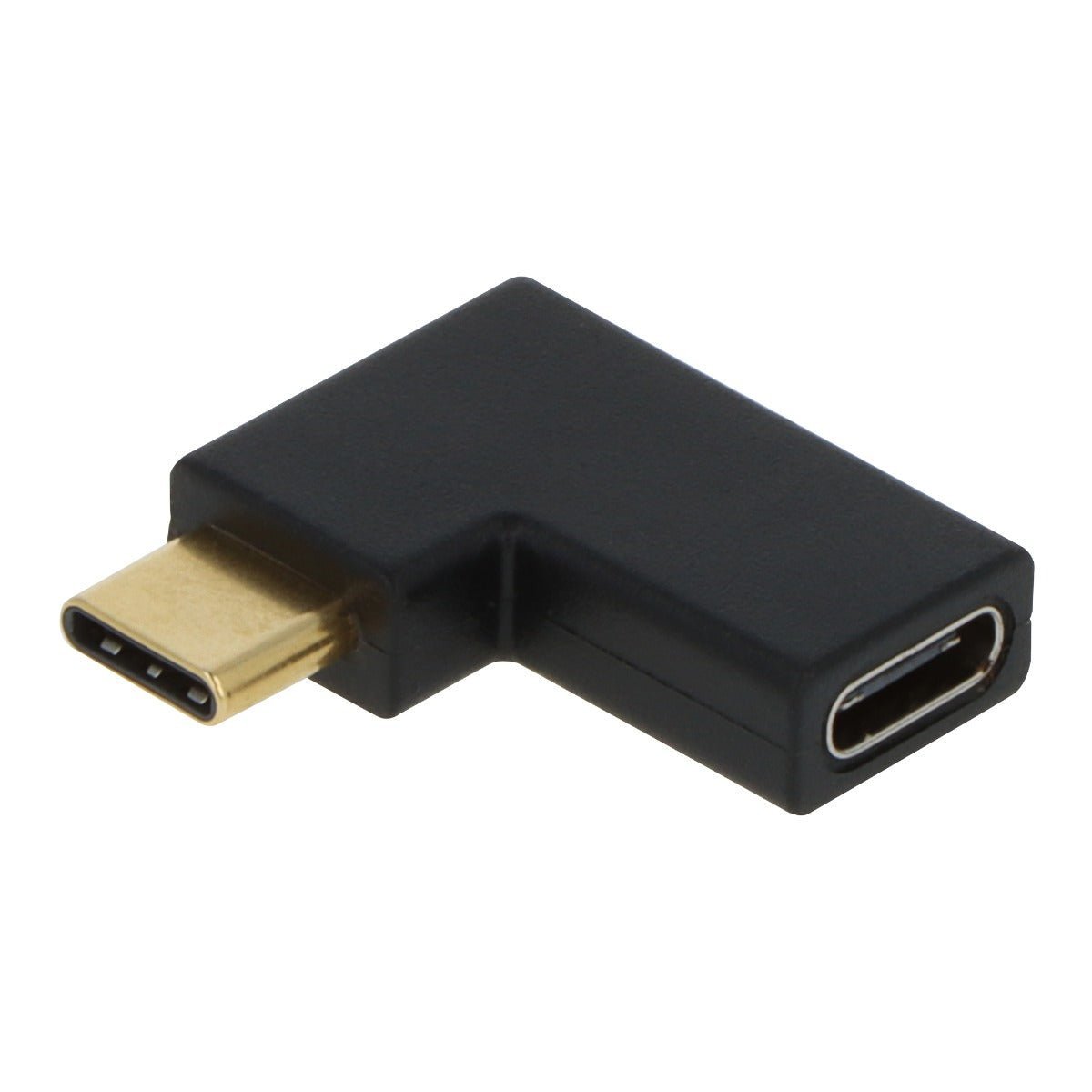
USB-C Right Angle Adapter
Sometimes the problem is geometry.
A device sits close to a wall. A USB-C cable sticks straight out. Both would like to occupy the same space.
The VisionTek USB-C Right Angle Adapter redirects the connection, giving the cable another route without forcing a sharp bend.
Our staff also likes it for laptop docking setups. Depending on your port placement and available clearance, it can route the docking cable toward the back of the laptop, freeing up space beside it.
Your mouse gets its territory back.
The useful specs:
- USB-C male to USB-C female right-angle connection.
- Up to 10Gbps data transfer through USB 3.1 Gen 2.
- Up to 100W Power Delivery.
- Up to 4K UHD at 60Hz, with DisplayPort over USB-C support.
- No driver required.
- One-year limited warranty.
Those capabilities depend on the connected equipment. Video requires a host USB-C port that supports video output, and charging depends on the charger, cable, and device. Check clearance around neighboring ports before choosing your cable route.
Why it made our list: It helps route cables around tight spaces and keeps connections from getting in the way.
Explore the VisionTek USB-C Right Angle Adapter
Give Your Existing Setup Another Look
Before replacing a useful accessory, arranging a computer repair, or reorganizing your entire desk, look at the connection causing the trouble.
You might need a different plug. An alternative network connection. A cable pointed in a more sensible direction.
Sometimes the most useful upgrade is small enough to lose in a drawer.
We suggest keeping it somewhere better.
Share:
Buying Government IT? ~ A Practical Guide to TAA Compliance and NDAA Section 889
USB-C Isn’t What It Seems: Speeds, Charging & Video Explained