
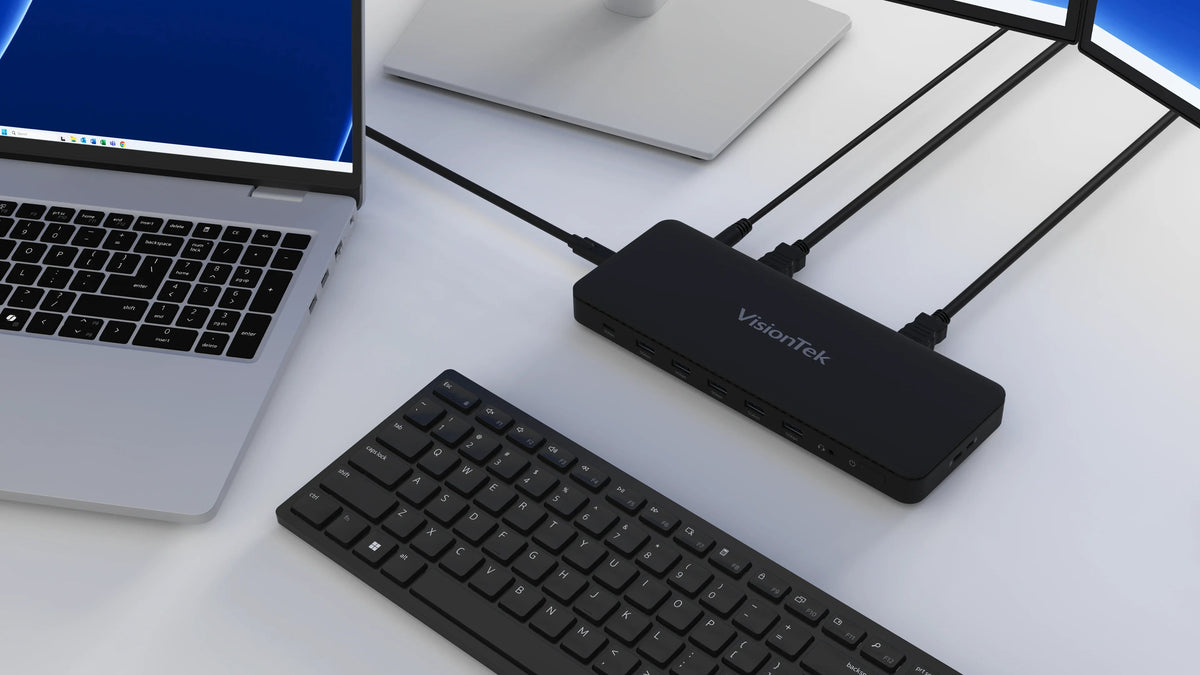
Year-end is an important time for IT teams. It's an opportunity to replace aging equipment, address ongoing technology challenges, and prepare employees for the year ahead.
But before spending the remaining budget, it's worth asking a bigger question: Are you buying more technology, or building a better technology standard?
When employees use different docking stations, accessories, memory configurations, and connectivity solutions, IT teams have more equipment to manage and more variables to troubleshoot. Standardizing the technology employees use every day can simplify procurement, streamline deployments, and create a more consistent workplace experience.
Here are five areas worth prioritizing before your year-end budget closes.
1. Standardize Employee Workstations
Not every employee needs the same workstation. An administrative employee, financial analyst, engineer, and hybrid worker have different equipment requirements.
Instead of purchasing products individually, establish a few approved workstation configurations based on employee roles and how they work.
- Standard Office Workstation: Designed for employees who primarily use business applications, email, web-based tools, and video conferencing. A typical configuration might include a laptop, docking station, one or two monitors, keyboard, mouse, and webcam.
- Advanced Workstation: Designed for employees who depend on multiple displays, demanding applications, large datasets, or extensive peripheral connectivity. These configurations may require additional memory, faster storage, multi-display docking stations, and higher-performance connectivity.
- Hybrid and Mobile Workstation: Designed for employees who regularly move between home, office, and other work locations. Prioritize consistent docking and charging solutions, portable accessories, and equipment that works across approved laptop configurations.
Once these workstation standards are established, IT teams can make purchasing and deployment more predictable.
Make Deployment Easier with VisionTek Workspace Kits
Defining workstation standards is the first step. Making those standards easy to deploy is the next.
Rather than purchasing docking stations, display cables, webcams, and accessories separately for every employee, IT teams can simplify procurement by bringing essential components together in standardized workstation packages.
VisionTek Workspace Kits bring key connectivity and productivity products together in convenient solutions for different workplace needs.

Workspace Essentials
A docking station, display cables, cable ties, and a USB4 cable.

Workspace Meeting Ready
Builds on the Essentials setup with a webcam for employees who regularly participate in video meetings.
Standardized kits give IT and procurement teams a more consistent way to equip new hires, support hybrid employees, and prepare workstation deployments without sourcing every component separately.
Instead of treating each workstation as a collection of separate purchases, IT teams can establish repeatable equipment packages that are easier to order, prepare, and deploy.
2. Establish an Approved Docking Station Standard
Docking stations connect the devices employees rely on every day. Establishing an approved lineup helps IT teams support consistent display, power, network, and peripheral configurations across their laptop fleet.
The best approach is to select a small number of models based on employee requirements and laptop compatibility.
VT8100DL | Advanced Multi-Display Workstations
Supports up to four 4K displays, 2.5Gb Ethernet, and up to 100W laptop charging. Ideal for engineering, financial analysis, development, and other multi-display environments.
VT4600DL | Enterprise Dual-Display Standard
Supports two 4K displays with USB-C and USB-A host connectivity. A practical choice for organizations supporting mixed laptop fleets and standardized office workstations.
VT2600 | Native Windows Display Connectivity
Supports up to three external displays on compatible Windows laptops with USB-C DisplayPort Alt Mode and MST. Ideal for qualified systems that need driverless display expansion.
The goal isn't to put every employee on the same dock. It's to establish approved solutions that are easier to procure, deploy, and support.
3. Upgrade Memory and Storage Where It Matters
Before replacing an entire computer, evaluate whether a targeted upgrade can extend its useful life.
Insufficient memory and limited storage can affect everyday performance, especially for employees working with large spreadsheets, multiple applications, extensive files, and demanding business software.
Consider reviewing your existing computer fleet for opportunities to:
- Upgrade compatible systems with additional DDR4 or DDR5 memory.
- Replace aging or undersized drives with SSDs.
- Establish approved DIMM and SODIMM memory configurations.
- Standardize SSD capacities and interfaces for future replacements.
VisionTek memory and SSD solutions provide upgrade options for compatible business desktops and laptops.
IT takeaway: Prioritize upgrades based on actual system requirements and employee workloads. Not every computer needs replacing, and targeted upgrades can help make better use of existing hardware investments.
4. Standardize Webcams, Chargers, Cables, and Accessories
The smaller components of a workstation are easy to overlook during procurement, but they play an important role in keeping employees connected and productive.
Inconsistent webcams, missing display cables, incompatible adapters, and charging solutions can complicate equipment deployments.
Create an approved accessory list that includes:
- Webcams for individual workstations and video conferencing.
- USB-C and USB4 cables.
- HDMI and DisplayPort cables.
- USB adapters and connectivity accessories.
- Laptop chargers and multi-port charging solutions.
- Essential cable management products.
VisionTek offers these business technology accessories to help organizations build complete workstation configurations.
Including these items in your purchasing standards and Workspace Kits makes it easier to equip employees with the right technology from the start.
5. Review Your Equipment Inventory and Plan Ahead
Before committing the remaining budget, take a closer look at the hardware your organization already owns.
Identify computers approaching replacement, systems with insufficient memory or storage, outdated connectivity equipment, and accessories that frequently need replacing.
A basic inventory review should include:
- Device age, model, and current configuration.
- Memory and storage capacity.
- Warranty and support status.
- Docking stations and connected peripherals.
- Equipment requiring replacement or upgrades.
Use that information to separate immediate needs from longer-term improvements.
Prioritize your spending:
- Address immediate needs: Replace failing or incompatible equipment and address problems affecting employee productivity.
- Improve standardization: Invest in approved docks, workstation kits, memory, storage, and accessories.
- Prepare for next year: Plan for new hires, equipment refreshes, and upcoming workstation deployments.
This approach helps direct spending toward identified business needs instead of purchasing equipment simply because budget remains available.
Build a Better Technology Standard for the Year Ahead
The best year-end IT investments are the ones that continue delivering value long after the purchase is made.
Standardizing workstations, docking stations, memory, storage, and everyday accessories gives IT teams a more consistent foundation for supporting employees and planning future deployments.
From enterprise docking stations and memory upgrades to SSD storage, webcams, chargers, and complete Workspace Kits, VisionTek offers business technology solutions that help organizations bring their workspaces together.
Whether you're equipping a new employee, refreshing an existing workstation, or establishing consistent technology standards across your organization, VisionTek offers solutions to help bring the pieces together.
Make your next IT investment count. Build a better workstation standard for the year ahead.
Share:
USB-C Isn’t What It Seems: Speeds, Charging & Video Explained