
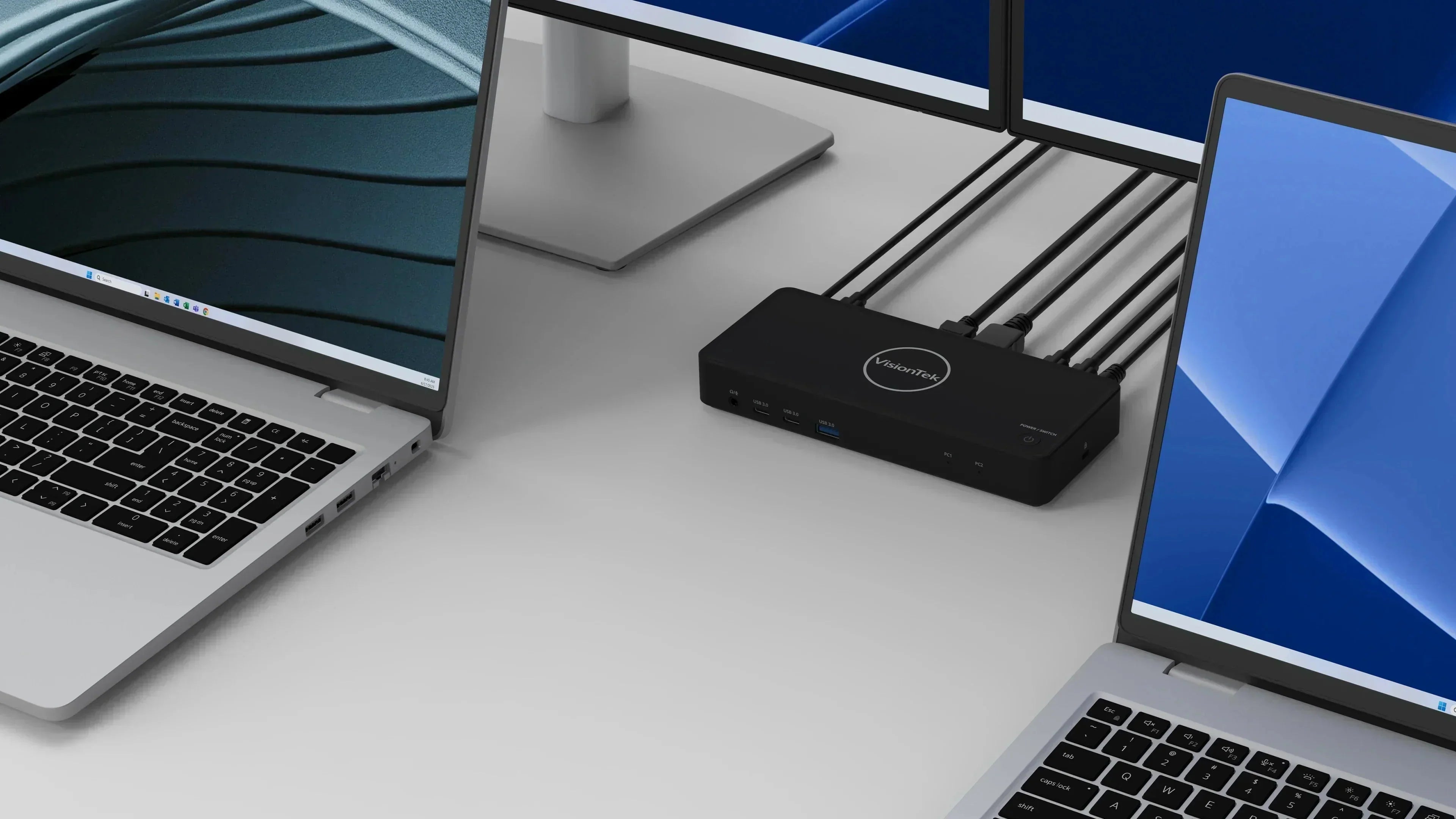
The "Hybrid Desk" is the new standard. Whether you are a developer managing two environments, a creative switching between a Mac and a PC, or a professional who toggles between a work laptop and a personal machine, the "cable dance" is a known productivity killer.
Constantly unplugging monitors, keyboards, and mice isn’t just annoying—it’s hard on your hardware and your focus.
To solve this, we’ve developed two specialized solutions: the VT2900 and the VT4950. Both feature integrated KVM (Keyboard, Video, Mouse) switching, allowing you to control two systems with one set of peripherals.
Here is how to find the one that fits your specific workflow.
The Essential Hybrid Solution: VT2900 USB-C KVM Dock
Best for: Windows users and professionals with straightforward dual-monitor needs.
If your goal is to reclaim your desk space and stop swapping cables every time you clock out, the VT2900 is your go-to. It is designed specifically for the Windows professional who needs a reliable, plug-and-play solution.
- One-Click Switching: A physical button on the dock lets you toggle your entire workstation monitors, mouse, keyboard, and Ethernet between two laptops in seconds.
- Dual Monitor Support: Connect via HDMI and DisplayPort. Using Windows MST, you can easily extend your desktop across two 4K monitors for serious multitasking.
- Smart Power Management: It delivers up to 100W of power to your primary laptop. For your second laptop, the dock features a USB-C passthrough port, allowing you to connect its own charger so both systems stay topped off.
- The Bottom Line: It’s a clean, minimalist solution that replaces a mountain of adapters and creates a "set it and forget it" workstation.
Note for Mac Users: The VT2900 supports one extended display on macOS; the second monitor will mirror the first. If you need dual independent displays on a Mac, look at the VT4950 below.

Product Highlight
VisionTek VT2900 USB-C KVM Dock
Built for hybrid professionals managing two laptops from one desk. Instantly switch between work and personal systems with one-button simplicity.
- ✓ One-button switching between two laptops
- ✓ Dual 4K monitor support for Windows
- ✓ Up to 100W USB-C Power Delivery
- ✓ Driver-free plug and play setup
Compatible with USB-C laptops supporting DisplayPort Alt Mode. Windows supports dual extended displays; macOS supports one extended display.
The Ultimate Workstation: VT4950 DisplayLink KVM Dock
Best for: Mixed environments, Mac users (including Apple Silicon), triple-monitor fans, and power users.
The VT4950 is our most versatile KVM dock, engineered to overcome the hardware limitations found in many modern laptops. By using DisplayLink technology, it unlocks display configurations that standard docks simply can't reach.
- Triple Monitor Freedom: While standard docks might limit you, the VT4950 supports up to three 4K monitors.
- The MacBook Fix: If you are using an Apple Silicon MacBook (M1-M5) that natively only supports one external screen, the VT4950 is your answer. With a quick DisplayLink driver installation, you can finally run dual (or triple) independent external monitors on your Mac.
- Dual 100W Charging: No need for extra power bricks. The VT4950 provides up to 100W of Power Delivery to both connected laptops simultaneously.
- Software-Enhanced Switching: Beyond the physical button, the VT4950 includes optional software that allows for seamless keyboard and mouse sharing and even file transfers between the two systems.

Product Highlight
VisionTek VT4950 DisplayLink KVM Dock
Built for advanced hybrid workstations. Switch between two laptops while powering up to three displays from one clean, professional desk setup.
- ✓ Switch and share between two laptops
- ✓ Triple display support (Dual 4K + HDMI)
- ✓ 100W USB-C charging for both systems
- ✓ Universal compatibility: Windows & macOS
DisplayLink driver required. macOS users must enable Screen Recording permissions. Compatible with USB-C, USB4, and Thunderbolt laptops.
Comparison at a Glance
| Feature | VT2900 | VT4950 |
|---|---|---|
| Max Monitors | 2 (Windows) / 1 (Mac) | 3 (Windows & Mac) |
| Display Tech | USB-C DP Alt Mode | DisplayLink + DP Alt Mode |
| Power Delivery | 100W (PC2) + Passthrough (PC1) | 100W to both laptops |
| Mac Compatibility | Single Extended Display | Dual/Triple Extended Displays |
| Installation | Plug & Play | Driver Required for Video |
Frequently Asked Questions
Can I run dual monitors on my MacBook Air or Pro?
Yes, but you will want the VT4950. While the VT2900 is great for single-monitor Mac setups, the VT4950 uses DisplayLink to bypass Apple’s native display limits, allowing for two or more independent external screens.
Do these docks charge both laptops?
Both docks provide power. The VT4950 provides 100W to both systems directly from its own power supply. The VT2900 provides 100W to one system and offers a passthrough port for the second laptop’s charger.
Is there a delay when switching between computers?
When you hit the KVM button, your peripherals take a few seconds to "handshake" with the new system. This is a normal part of the USB and DisplayPort reconnection process.
Ready to Streamline Your Setup?
Stop the cable clutter and start working more efficiently. Whether you need the straightforward reliability of the VT2900 or the high-performance display power of the VT4950, your perfect hybrid desk is only one connection away.
Share:
My Computer is SLOW!! But it Isn’t Broken...It’s just starving for memory (Here’s the Upgrade That Fixes It)
Master Your Workflow: Why Modern Professionals and Creators are Moving to the VT5400 Thunderbolt 4 Dock